🎮 Game Controls & Keyboard Guide
Riot Village: The Ultimate Shooter Challenge
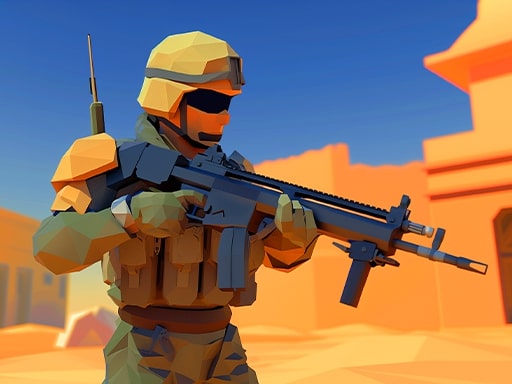
Step into Riot Village, a thrilling browser-based adventure where your shooting skills and strategy are tested. Navigate 10 intense levels with AI enemies. Visit the market to choose from 6 unique weapons and equip up to 4 in your inventory. Switch weapons during gameplay to overcome challenges. The game features automatic character movement, letting you focus on aiming and shooting. Adapt your strategy as each enemy wields different weapons. Are you ready for the challenge?
Test your speed, timing, and precision in Riot Village, a premier Arcade game created for competitive gaming enthusiasts.
⚡ Key Features
⚡ Instant Browser Play
No installation, downloads, or plugins required. Loads in seconds directly in HTML5.
📱 Cross-Platform Ready
Flawless gameplay experience on PC, Laptop, Chromebook, iPhone, iPad, and Android.
⭐ Pro Tips & Strategy
Learn the attack and movement patterns of recurring obstacles to predict safe intervals. Collect power-ups only when it is 100% safe to avoid unnecessary risk to your streak.




Complete Guide & Gameplay for Riot Village
To excel in Riot Village, start by familiarizing yourself with the responsive controls. As the difficulty scales, maintaining composure and steady rhythm will be key to conquering high levels.
This classic Shooter browser title is fully optimized for HTML5 browsers, delivering responsive physics and immersive action on desktop, mobile, and tablet platforms without downloads.
